

/https%3A%2F%2Fassets.over-blog.com%2Ft%2Ftwentyeleven%2Fimages%2Fpine-cone.jpg "Latest Tech News, Mac News, Android Devices, Popular Smart Phones, Camera and Camcorders and Useful Tips and Guides")
Get Right Click Enhancer to Take Control over Your Right Click Menu
Published on June 11 2016
Honestly, the right click button on your mouse is the unsung hero of navigation, but very few people actually use it for anything other than stealing images off of the Internet. Today’s discount software promotion makes it easy and enjoyable to use your right-click, and downright useful, too! It’s Right Click Enhancer Professional!

Right Click Enhancer Professional lets you add applications, files, and folder shortcuts to your right click context menus, leading to a cleaner desktop and faster access to things you need the most. With Right Click Enhancer Professional, you’ll be able to create sub-menus to add even more items without making things look cluttered or messy. Do you like to run your programs with certain parameters? Just use Right Click Enhancer Professional to add command line arguments and go about your business as usual!
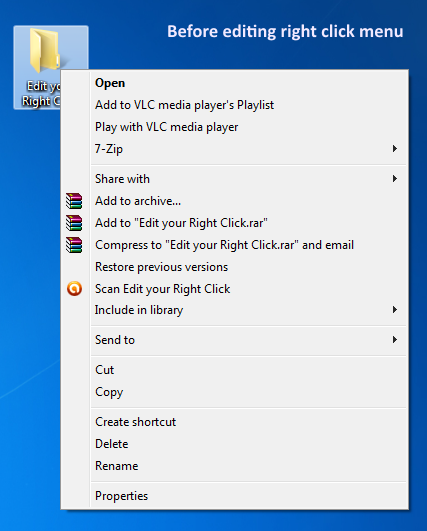
It’s not all about files and applications, either! Right Click Enhancer Professional lets you add common tasks like Copy, Past, Move, and Rename to your right click menus! Adding it all together, you’re looking at hours and hours of gained productivity thanks to these innovative shortcuts.

Free download Right Click Enhancer to Take Control over Your Right Click Menu
/http%3A%2F%2Fi.ytimg.com%2Fvi%2FdfnxZhm5lE0%2Fhqdefault.jpg)
Right Click Shortcuts Creator Tutorial
In this video you will learn how you can use Right Click Shortcuts Creator tool of Right Click Enhancer Professional to create shortcuts and sub menus in your right click menu.
https://www.youtube.com/watch?v=dfnxZhm5lE0&feature=youtu.be
Article Source: Get Right Click Enhancer to Take Control over Your Right Click Menu