

/https%3A%2F%2Fassets.over-blog.com%2Ft%2Ftwentyeleven%2Fimages%2Fpine-cone.jpg "Latest Tech News, Mac News, Android Devices, Popular Smart Phones, Camera and Camcorders and Useful Tips and Guides")
How to transfer apps between iPhone and iPad
Published on January 11 2014
"How to transfer a purchased app from iPhone to iPad? I have bought Talking Ben app on my iPhone. I also have an iPad, how can I transfer this purchase onto my iPad?" ---- Ask Different
The most common way to transfer apps from iPhone to iPad is to use iTunes or iCloud. However, some people don't know how to do, and others may never backup their iPhone and iPad with iTunes or iCloud.Then, is there a simple way to transfer apps from iPhone to iPad without iTunes or iCloud backup.
Lucily, you can get AppTrans which is an all-new solution to transfer Apps among iPhone, iPad, iPod touch and all iOS devices. Well-Prepared with three transfer modes, AppTrans outruns iTunes & iCloud by providing you with plenty of options to keep all App data, game records and even personal settings. You'll lose nothing at all!
Tips: If you are a Mac user, you can use AppTrans for Mac to transfer apps from iPhone to iPad on Mac.
Step by step to transfer apps from iPhone to iPad with AppTrans
Step 1: Connect your iPhone and iPad to the computer
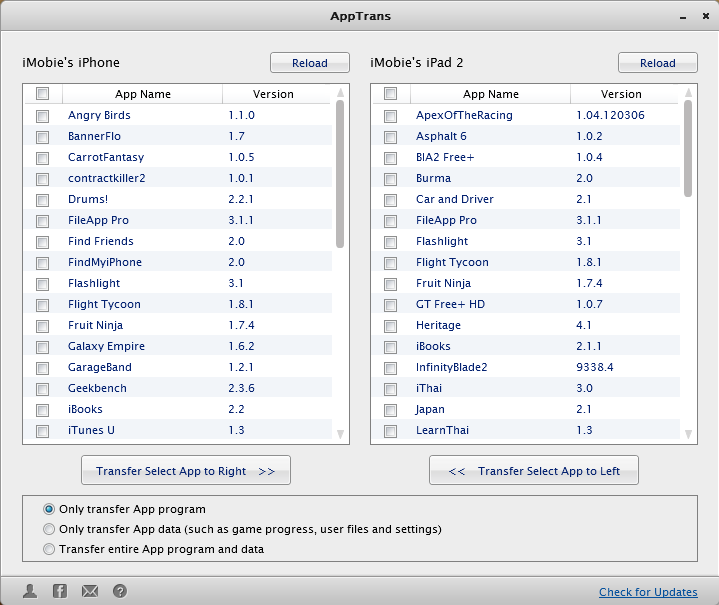
Download, install and run AppTrans, and then connect your iPhone and iPad to the computer. The following interface appears:
Step 2: Transfer apps from iPhone to iPad
All iPhone and iPad apps will be shown on the left and right separately. Choose Apps in left list window and click “Transfer Select App to Right” to transfer apps from iPhone to iPad or select from right window and click “Transfer Select App to Left” to transfer apps from iPad to iPhone.
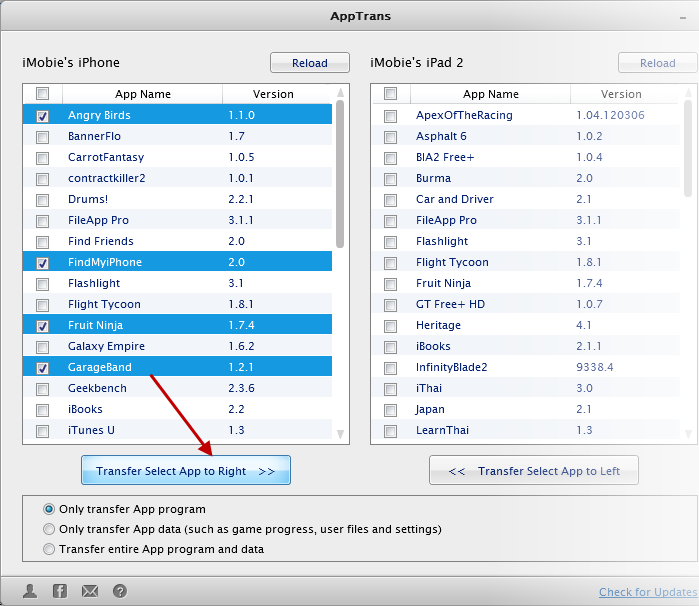
Tips: AppTrans offers three modes to transfer apps between iOS devices.
- Only transfer App program (Only the App installer and no user files)
- Only transfer App data (Including game progress, user files and settings but no App installer)
- Transfer whole App program and data
Once the transfer begins, you'll see below progress window. As the entire progress includes both file transferring and App installation, so the transfer time taking depending on the size of the selected Apps.

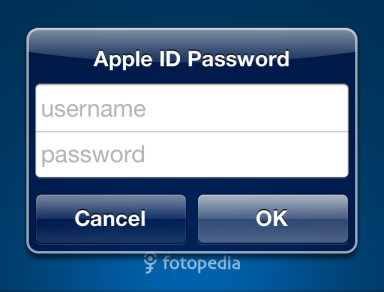
Note that if your Apps use multiple Apple IDs, you need to verify them before using.
Warning: AppTrans can be ONLY used to transfer and backup Apps that you downloaded or purchased from iTunes. You cannot get Apps from other sources or people.