

/https%3A%2F%2Fassets.over-blog.com%2Ft%2Ftwentyeleven%2Fimages%2Fpine-cone.jpg "Latest Tech News, Mac News, Android Devices, Popular Smart Phones, Camera and Camcorders and Useful Tips and Guides")
Get ActivePresenter Professional to Create Interactive and Feature-Rich Screencasts
Published on May 24 2016
If you’ve ever endured a webcast, you know how mindnumbing it can get watching someone’s else’s screen while listening to them prattle on over your speakerphone. When it’s all over, how much of what was discussed actually is retained in your brain? If only they had a copy of ActivePresenter, everyone would come away from the experience much happier!
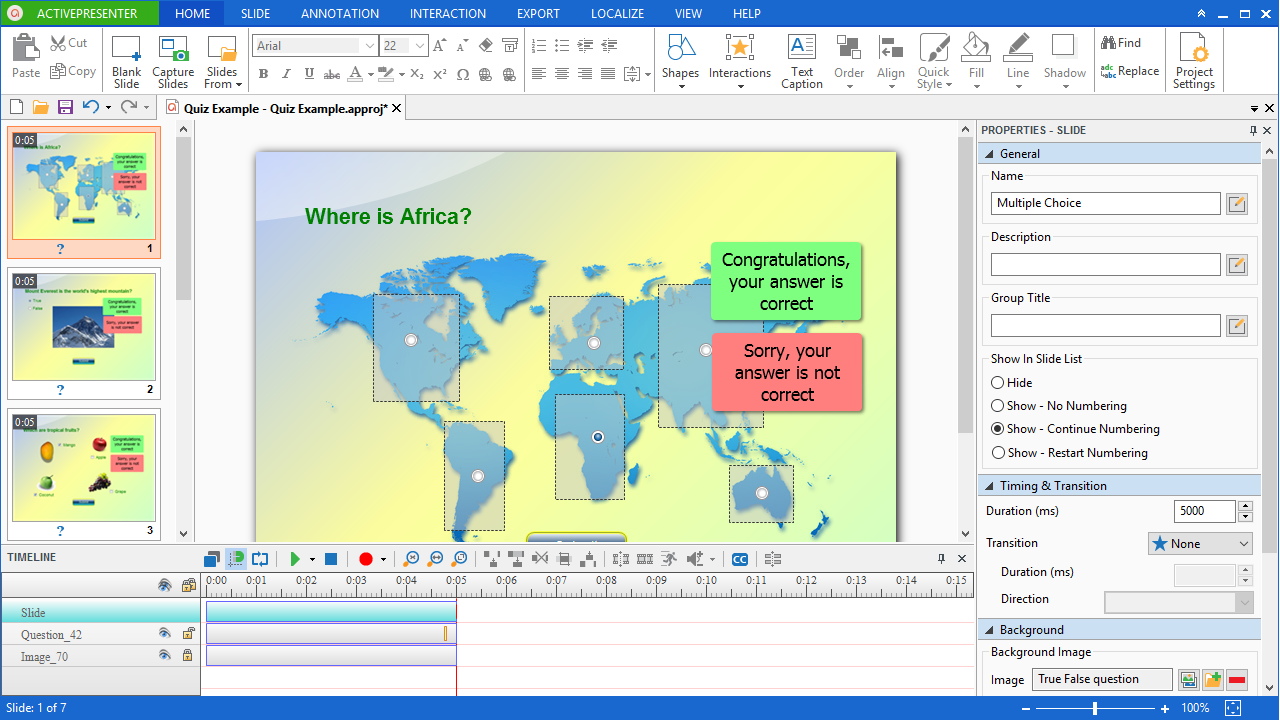
ActivePresenter lets you create interactive screencasts that contain voiceovers, annotations, videos, and graphics. With ActivePresenter, you’ll be able to convey ideas and concepts in a way that is fun, engaging, and effective – meaning your audience will actually be able to comprehend and act on your communications. Worlds beyond your typical shared-screen conference call, the e-learning content you create with ActivePresenter is truly interactive, and can feature application simulations, branching scenarios, and even quizzes to reinforce retention of the subject matter!
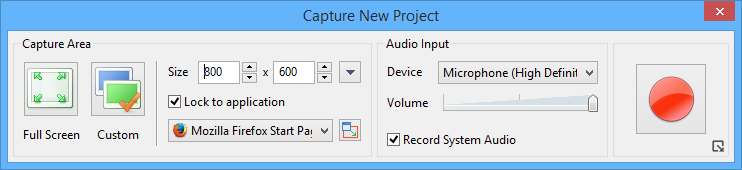
Smart Capture technology makes it easy to just record what’s on your screen and output it to your file format of choice for access by online browsers, desktops, mobile devices, and SCORM-compliance Learning Management Systems. Want to punch it up with annotations, callouts and graphics? ActivePresenter lets you do that, easily. Best of all, you can use ActivePresenter to evaluate learner performance through technologies that track and report key metrics right back to you as viewers run your screencasts.
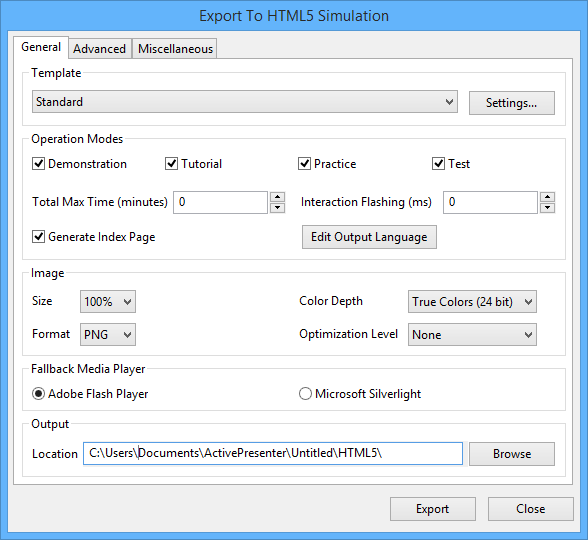
Free download ActivePresenter Professional to Create Interactive and Feature-Rich Screencasts
/http%3A%2F%2Fi.ytimg.com%2Fvi%2FB1sOMb83rEs%2Fhqdefault.jpg)
Introducing ActivePresenter 5!
ActivePresenter is a software for recording and creating professional software demonstration videos or HTML5 interactive training contents that can be viewed on desktops as well as all modern ...
https://www.youtube.com/watch?v=B1sOMb83rEs&feature=youtu.be